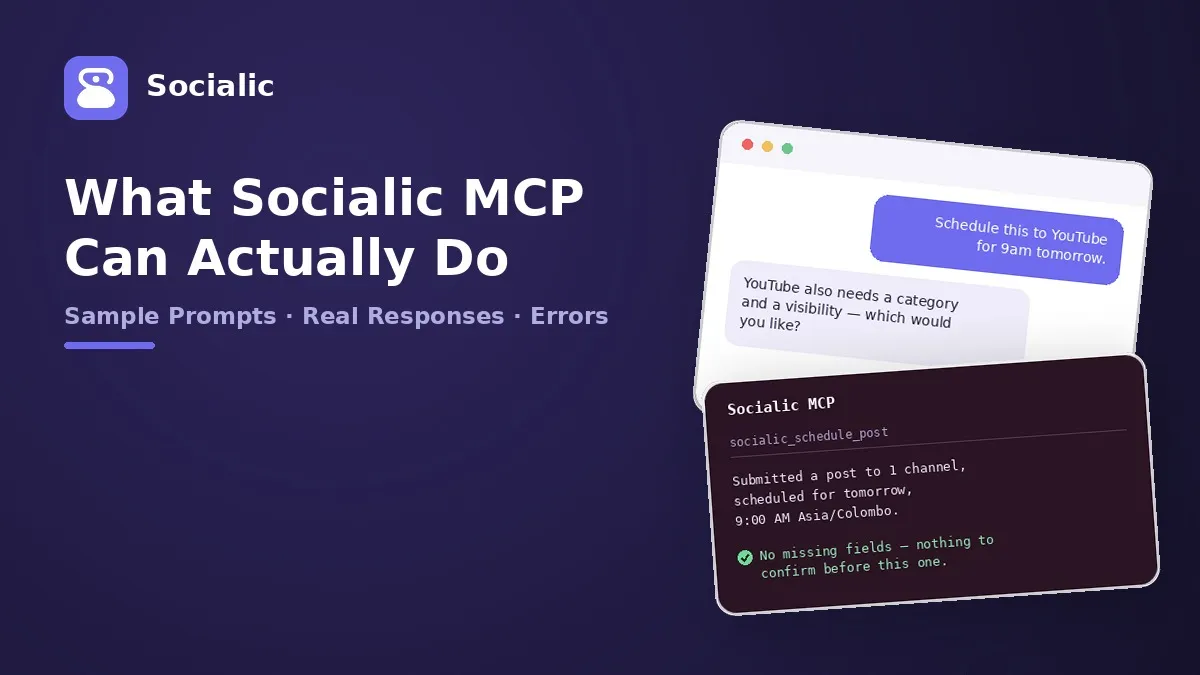
What Socialic MCP Can Actually Do: Sample Prompts and Responses
Socialic MCP can list your channels, schedule a post, check what’s queued, and — as of the newest tools — edit or delete a post after the fact. Rather than list what each underlying tool is called, this walks through what you can actually ask for, with a realistic prompt and the response you’d actually get back for each — including what it looks like when something’s missing and the request gets rejected, not just the version where everything goes smoothly.
The examples below follow one running example — a small coffee brand called Riverside Roasters — so you can see how a single caption and image move through listing, scheduling, checking, editing, and deleting. If you haven’t connected Socialic MCP yet, start here first.
See What’s Connected, and What Each One Needs
Before drafting anything, MCP checks what’s actually connected and what each channel requires — caption limit, whether media is mandatory, and any platform-specific constraints (TikTok’s allowed privacy levels, Pinterest’s boards). This is socialic_list_channels, and it’s usually the first thing that runs in any conversation, even if you didn’t ask for it directly.
What channels do I have connected, and what does each one need before I can post?
Four channels: Riverside Roasters (Facebook Page) — active, media optional, 10,000-character caption limit. riversideroasters (Instagram) — active, requires at least one image or video. Riverside Roasters (YouTube) — active, requires one video plus a category and a visibility. riversideroasters (TikTok) — active, requires one video or up to 5 images, and this account is limited to SELF_ONLY privacy.
Resolve a Timezone by Name
Every scheduling request needs a real IANA timezone, not a guess — socialic_list_timezones is how a place name turns into one.
What’s the IANA timezone for Colombo?
Asia/Colombo — currently UTC+05:30.
Find (or Fail to Find) a File You Already Uploaded
socialic_list_media_files searches your Socialic media library by type and filename, so you can reference a file by name instead of a link. It’s also honest when nothing matches, rather than guessing:
Do I have a photo called ‘latte’ already uploaded?
One match: seasonal-latte.jpg (image, 1.4 MB).
What about a video called ‘brew guide’?
No matching files in the media library. Upload it in Socialic’s File Manager first, or give me a public link and I’ll use that instead.
Check When a Post Will Actually Go Out
If a channel posts on a recurring weekly schedule, socialic_list_channel_timeslots previews it — including which slot is genuinely open, not just the plan.
When’s my next available Instagram slot?
Your Instagram plan has 5 recurring weekly slots. The next available one is Thursday at 6:00 PM Asia/Colombo (2026-10-01T12:30:00Z) — every other slot’s next occurrence this week is already taken.
Schedule a Post — the Version Where Everything’s in Order
This is socialic_schedule_post, and when the caption, media, and channel all satisfy each platform’s rules, it’s a single round trip:
Post this to Facebook and Instagram right now: “Our seasonal latte is back for autumn.” Use seasonal-latte.jpg from my media library.
Both channels are connected, and seasonal-latte.jpg satisfies Instagram’s media requirement. Submitted a post to 2 channels for immediate publishing, with 1 media file attached from your library.
Schedule a Post — the Version Where Something’s Missing
Socialic MCP validates a request against each platform’s actual rules before anything is sent — not after. YouTube is the strictest: it requires both a category and a visibility, and won’t accept the post without them. Here’s what that rejection actually looks like, and how it resolves:
Schedule brew-guide.mp4 to YouTube for tomorrow at 9am Asia/Colombo, caption “How we brew our single-origin.”
I can’t submit that yet — validation problems: YouTube posts require a category (pick one: 26 = Howto & Style, 27 = Education, 24 = Entertainment, or another from the full list). YouTube posts also require a visibility: PUBLIC, UNLISTED, or PRIVATE. Which would you like for each?
Category 26, and make it public.
Submitted a post to 1 channel, scheduled for tomorrow, 9:00 AM Asia/Colombo.
Nothing was created on the first attempt — the validation ran, found two missing required fields, and returned both problems at once instead of stopping at the first one. The same pattern applies everywhere a platform has required fields: a Pinterest post with no board, a TikTok privacy level your account isn’t allowed to use, a caption over a platform’s character limit. You get back what’s wrong, not a silent failure or a guess.
See What’s Already Queued
socialic_list_scheduled_posts reads back what’s scheduled or published, optionally bounded by a date range — the default is the current month.
What do I have scheduled this week?
3 posts. Facebook — “Our seasonal latte is back,” published just now. Instagram — same caption, published just now. YouTube — “How we brew our single-origin,” scheduled for tomorrow, 9:00 AM Asia/Colombo, status pending.
Change Something About a Post You Already Scheduled
socialic_update_scheduled_post edits a not-yet-published post’s caption, schedule, pause state, or platform fields — never its media, which is fixed once a post is created, the same as in the dashboard. It also never changes anything on the first call. Ask for a change, and the first response is always a preview:
Move my YouTube post from 9am to 2pm tomorrow.
Here’s what would change on “How we brew our single-origin”: scheduled time 9:00 AM → 2:00 PM (Asia/Colombo). Nothing else changes — the video and its thumbnail stay exactly as they are. Go ahead? (yes/no)
Yes.
Updated. It’s now scheduled for 2:00 PM instead of 9:00 AM.
That’s two calls to the same tool with the same arguments — the only difference is confirm: true on the second one. If you’d said “no” instead, nothing would have happened at all.
Delete a Post — and What Happens if It’s on Instagram
socialic_delete_scheduled_post follows the identical pattern — preview first, then confirm:
Actually, cancel the YouTube post entirely.
This would permanently delete “How we brew our single-origin” — YouTube, scheduled for tomorrow, 2:00 PM. This can’t be undone. Delete it? (yes/no)
Yes.
Deleted 1 post.
For an Instagram post specifically, the preview adds one more line, because Instagram doesn’t support automated deletion: “Instagram does not support automated deletion — this only removes it from Socialic. Delete the post on Instagram itself.” — with a direct link to it when one’s available. Deleting from Socialic and deleting from Instagram are two separate actions, and the preview is what tells you that before you confirm, not after.
What You Can Attach, and Each Platform’s Rule
Media comes in three forms, and MCP is expected to pick the right one rather than guess: an https:// link (fetched as-is), an existing media-library file (referenced by its key, the way seasonal-latte.jpg was used above), or a data: URI for an image that only exists as bytes in the conversation, under 2 MB. Each platform then has its own rule for how much and what kind:
- YouTube — required, exactly one video, no images.
- TikTok — required, one video or 1–5 images (never mixed).
- Pinterest — required, one image or one video.
- Instagram — required, up to 10 images/videos (a single video is a Reel).
- Facebook Page — optional, up to 10 images/videos.
- LinkedIn — optional, up to 9 images/videos.
- Threads — optional, images only, up to 10, no video at all.
Video posts also take a custom thumbnail — either a separate image, or a timestamp partway through the video to use as the cover frame:
Use the frame at 3 seconds into brew-guide.mp4 as the cover image.
Done — the YouTube post will use the frame at 0:03 as its thumbnail instead of the default.
The Three Ways to Time a Post
Every schedule request picks exactly one of these, and always includes a timezone — even “right now” — since that’s stored with the post:
- Right now. “Post this to Facebook right now.” → publishes immediately, no schedule stored.
- A specific time. “Schedule this for next Tuesday at 9am Europe/London.” → the server converts that to UTC itself; MCP never does the math.
- Whenever the next slot is. “Schedule this for whenever my next slot is.” → MCP checks the channel’s timeslot plan first and tells you which slot it’ll likely land on, since the actual slot is only claimed the moment the post is submitted.
Platform-Specific Settings It Handles
Beyond caption and media, several platforms have their own settings — all reachable as plain-language requests, the same way the YouTube category and visibility were resolved above:
- YouTube — category (required) and visibility: PUBLIC, UNLISTED, or PRIVATE.
- TikTok — a privacy level from whatever the account actually allows, comment/Duet/Stitch toggles, and a commercial-content disclosure with “your brand” and/or “branded content” sub-flags.
- Pinterest — a board (required), and optionally a destination link.
- Facebook, Instagram, LinkedIn, Threads — a content type where it applies: a regular post, a Reel, or a Story.
- Any platform — free-form metadata key/value pairs, for accounts that use e-commerce, event, or job-posting fields.
Pin the latte photo to my ‘Seasonal Drinks’ board with a link to the menu page.
Scheduled to Pinterest — board ‘Seasonal Drinks,’ linking to your menu page.
Shortcuts for All of the Above
Every capability above also has a named shortcut — a slash-command-style starter your client may surface directly — that runs the same steps without you having to phrase the whole request yourself. None of them are required; they’re just a faster way in.
- socialic_channels — lists channels and every option for each, no arguments.
- socialic_draft_post —
topic(required),channels?,when?. Runs list → draft → confirm required fields → schedule. - socialic_media_library —
query?,type?. Searches your media library. - socialic_channel_timeslots —
channel(required),timezone?. Shows a channel’s posting plan. - socialic_timezones —
query?. Looks up a timezone. - socialic_scheduled —
range?. Shows scheduled/published posts as a table. - socialic_update_post —
post?,change?. Finds the post, previews the change, applies it after you confirm. - socialic_delete_post —
post?. Finds the post(s), previews the deletion, removes them after you confirm.
- ”/socialic_draft_post topic: our autumn latte, channels: Facebook and Instagram, when: tomorrow 10am"
- "/socialic_update_post post: my YouTube video, change: move it to 2pm”
Frequently Asked Questions
Do these examples use real tool or field names?
The underlying names (socialic_schedule_post, confirm, categoryId, and so on) are real and accurate. The sample conversations — the business, the captions, the dates — are illustrative, written to show the shape of a real exchange, not transcripts of an actual account.What happens if I leave out something a platform requires?
Socialic MCP checks every request against that platform’s actual rules before anything is sent. If something required is missing or invalid, nothing goes out — you get back a specific list of what’s wrong, and the assistant is expected to ask you for it rather than guess or silently drop the post.Can MCP actually delete or edit a post it already scheduled?
Yes. socialic_update_scheduled_post changes a post’s caption, schedule, or platform settings; socialic_delete_scheduled_post removes it entirely. Both refuse to do anything on the first call — they only preview what would change, and require an explicit confirm:true on a second call after you approve.Can a post’s media be changed after it’s scheduled?
No — that’s a deliberate restriction, not a missing feature. socialic_update_scheduled_post can change the caption, schedule, and platform fields, but it always resends the post’s existing media untouched. To change the media, delete the post and schedule a new one.Can I search my media library instead of scrolling through everything?
Yes. socialic_list_media_files takes an optional type filter (IMAGE or VIDEO) and a search substring that matches filenames, plus page for paging through a large library.Can I set a custom thumbnail on a video post?
Yes. socialic_schedule_post accepts a thumbnailFile (an image, given the same three ways as any other media) and a coverTimestampMs to instead grab a frame from partway through the video, for YouTube and Facebook/Instagram Reels.Do I need to memorize any tool or prompt names to use this?
No. Every example here also works as a plain-language request — MCP picks the right tool on its own. The names are included so you know what’s actually happening underneath, not because you need to type them.Final Thought
The useful thing to take from this isn’t a list of tool names — it’s that Socialic MCP behaves like a careful collaborator, not a black box: it tells you what’s missing instead of failing silently, previews anything destructive before touching it, and asks before it assumes. You can hold MCP to that standard just by asking for what you want in your own words.
Don’t have Socialic MCP connected yet? Start free
and connect your first channel.
Keep Reading
New to Socialic MCP? What is Socialic MCP? and how to connect it to your AI assistant cover the basics this reference builds on.
For a full walkthrough of scheduling to Facebook, Instagram, and Threads together, see how to schedule a Meta post with Socialic MCP, or for YouTube, TikTok, Pinterest, and LinkedIn’s own required fields, see scheduling YouTube, TikTok, Pinterest, and LinkedIn posts with Socialic MCP.